Setting up a Master Node
This guide will help you set up a Master node for running a Benchmarker. The Master node is responsible for scheduling and splitting benchmarks into batches for Slave nodes to run.
Setting up
Clone the TIG Monorepo:
git clone https://github.com/tig-foundation/tig-monorepo.gitSwitch to the appropriate branch based on the network you want to benchmark on:
git switch test/main
## OR
git switch test/blank_slateNavigate to the tig-monorepo/tig-benchmarker directory:
cd tig-monorepo/tig-benchmarkerFor the next steps, you will need to have docker and docker-compose installed on your machine.
Starting the Master node
Start the Master node using docker-compose:
docker-compose -f master.yml updocker-compose uses the .env file. For security, it is recommended that you adjust ports and passwords. See Advanced Tips.
After running the command, the Master node UI should be accessible on http://localhost:80
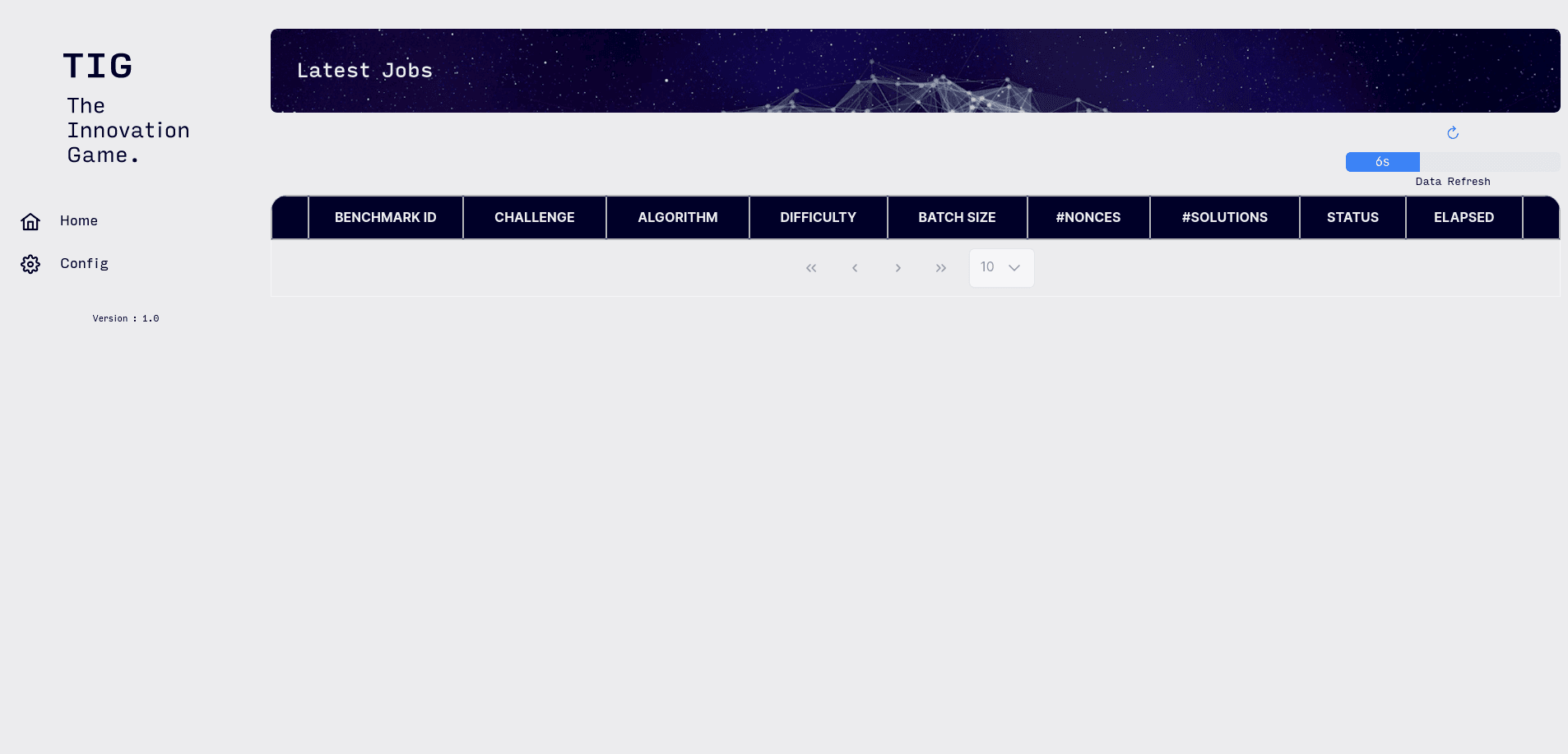
At this point your docker-compose logs should be showing invalid API key errors. This is expected
Obtaining the API Key
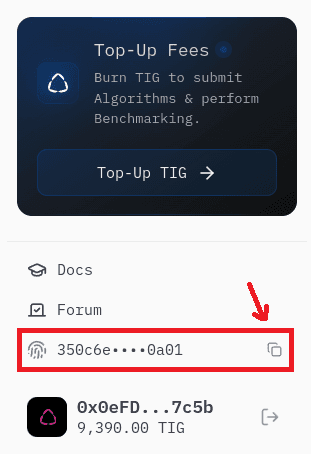
The API Key can be either obtained from the Main Dashboard/Testnet Dashboard.
To obtain the API Key from the UI, you need to connect your wallet and then click on the copy icon:
Configuring the Master
Visit your Master’s Config page on http://localhost:80/config. Copy, paste and edit the below config with your api_key, player_id, api_url.
Notes:
api_key: See Obtaining the API Keyplayer_id: Your wallet addressapi_url: Either the Testnet API URL or Mainnet API URL
https://testnet-api.tig.foundation{
"slaves": [
{
"name_regex": ".*",
"algorithm_id_regex": ".*",
"max_concurrent_batches": 1
}
],
"api_key": "<YOUR_TESTNET_OR_MAINNET_API_KEY>",
"api_url": "<TESTNET_OR_MAINNET_API_URL>",
"player_id": "<YOUR_PLAYER_ID>",
"algo_selection": [
{
"weight": 1,
"batch_size": 8,
"track_settings": {
"<track_id>": {
"num_bundles": 4,
"hyperparameters": null,
"fuel_budget": 123456
},
...
}
"algorithm_id": "c001_a004"
}
],
"max_batch_attempts": 3,
"time_before_batch_retry": 60000,
"max_concurrent_benchmarks": 8,
"time_between_resubmissions": 60000
}Click Save to apply your changes.
Notes:
track_settings: Is a dictionary where each key is atrack_id. Onetrack_idis selected randomly per benchmark, and the settings (num_bundles,hyperparameters,fuel_budget) for that track are used. See Advanced Tips for detailed configuration.max_batch_attempts: Sets the maximum number of times a batch will be retried, eg: after an error caused by the algorithm or slave failingmax_concurrent_benchmarks: Sets the maximum number of benchmarks the master will have ongoing
The above is a simple working config. To earn TIG on mainnet from benchmarking, you will need to edit the algo_selection field to include at least one algorithm for each challenge. See Advanced Tips
Next steps
- Set up Slave nodes to run benchmarks
- Top-up your fee balance
- Increase your earnings from benchmarking: